FR
FR 
 English - EN
  Español - ES


- Actualités
- Comment le faire?
- Calculateur de surfaces
- Calculateur de volume
- Calculatrice simple
- Calculatrice scientifique
- Calculateur d'anneau
- Border radius
- Box shadow
- Transform
- Conversion de données
- Convertisseur d'unité facile
- Compresseur d'images
- Compresseur de fichiers
- Sélecteur de couleurs RVB
- Jouer à des jeux en ligne

Télécharger des logiciels
- IDE et langages de programmation
- Réseau et internet
- Sistemes d'exploitation
- Graphisme
- Android et iOS
- Radio et television
- Antivirus et sécurité
- Logiciels de chat
- Utilités
- Video
- Audio
- Jeux de PC
How to install Python | |
Step 1: | |
Select Version of Python to Install | |
| Python has various versions available with differences between the syntax and working of | |
| different versions of the language. We need to choose the version which we want to use or need. There are | |
| different versions of Python 2 and Python 3 available. | |
 | |
Step 2: | |
| −Download Python Executable Installer | |
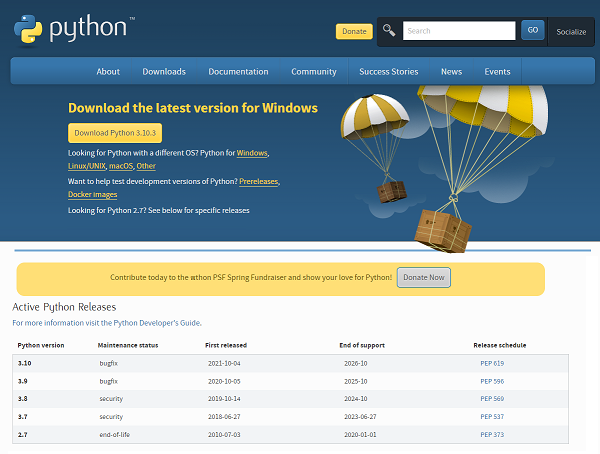
| Go to https://www.python.org and move to the Download for Windows section. | |
| All the available versions of Python will be listed. Select the version required by you and click on Download. | |
| Now the current version of Python is 3.10.3 | |
| On clicking download, various available executable installers shall be visible with different operating system | |
| specifications. Choose the installer which suits your system operating system and download the instlaller. | |
| Select the Windows installer(64 bits). | |
Step 3: | |
Run Executable Installer | |
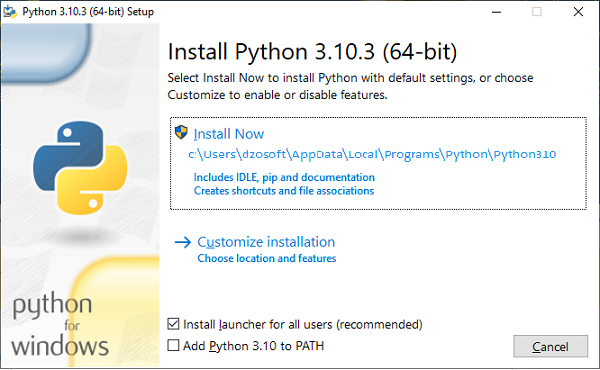 | |
| On clicking the Install Now, The installation process starts. | |
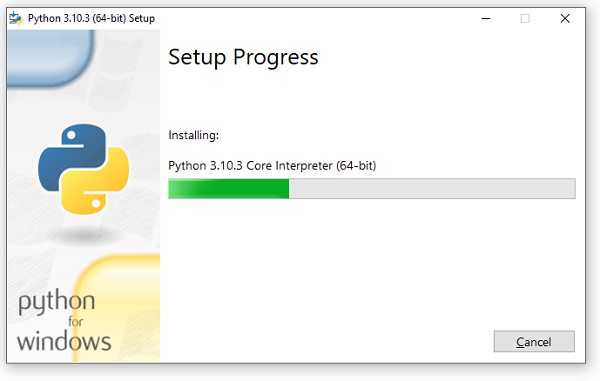 | |
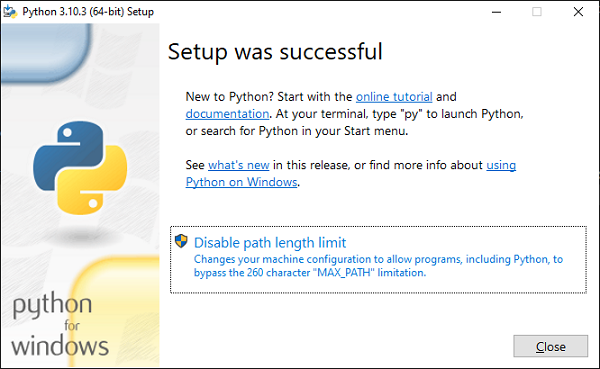
| The installation process will take few minutes to complete and once the installation is successful, | |
| the following screen is displayed. | |
 | |
Step 4: | |
| Verify Python is installed on Windows | |
| To ensure if Python is succesfully installed on your system. Follow the given steps − | |
| The version of the python which you have installed will be displayed if the python is successfully | |
| installed on your windows. | |
 |